Stop juggling four apps
to finish one image.
NightScape Stacker handles stacking, white balance, AI denoising, star removal or reduction, and light pollution removal in a single workflow. No exports between tools, no separate purchases. $99 one-time, Mac, Windows, Linux.
How It Works
From raw frames to finished image
in five steps.
One ordered pipeline, start to finish. Each step feeds the next, in a single app, with no exports in between.
- 01
Stack
Align and combine your frames, with sky and foreground stacked separately.
Sharp ground, sharp stars.
- 02
White Balance
Auto-neutralize the camera’s color cast by sampling star colors.
A color-balanced base.
- 03
Denoise
AI noise reduction that cleans the sky while protecting stars and edges.
A clean sky, full detail.
- 04
Star Removal / Reduction
Pull stars to a separate layer, or shrink them in place.
Starless image + star map.
- 05
Light Pollution Removal
Subtract the brightness gradient and color cast from artificial light.
A clean, even sky.
Features
Built for landscape astrophotography.
Stack
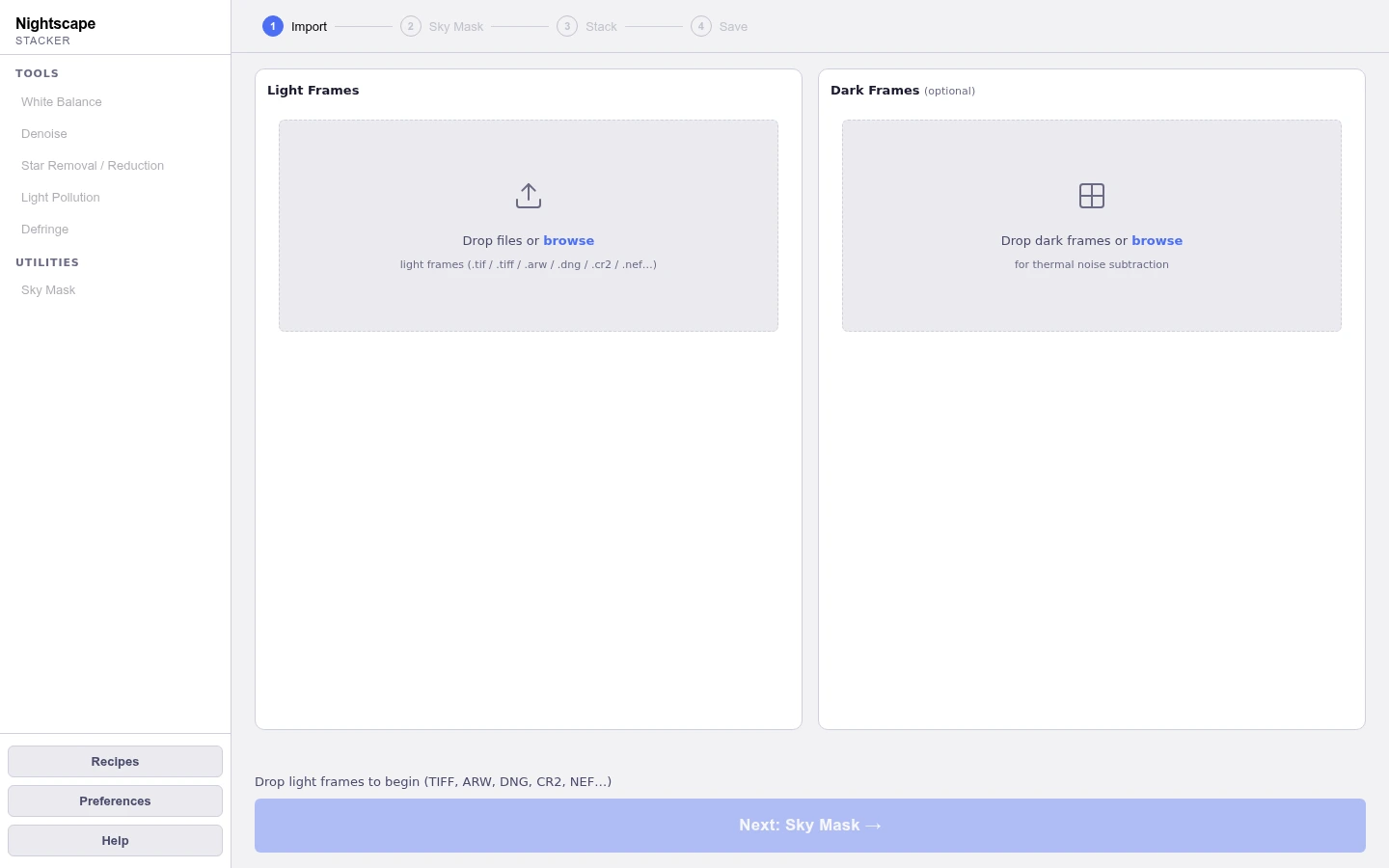
An AI sky mask separates your image into sky and foreground regions. The sky registers to the stars, the foreground to the landscape, each stacked independently and blended seamlessly. Per-pixel kappa-sigma rejection removes satellite streaks and aircraft trails automatically, so a single bad frame never marks your final image. Sharp ground and sharp stars in one image. No other stacker handles the landscape astrophotography problem this way.
Opens RAW, DNG, and 16-bit TIFF. Dark frame calibration. Automatic satellite and plane trail removal.
White Balance
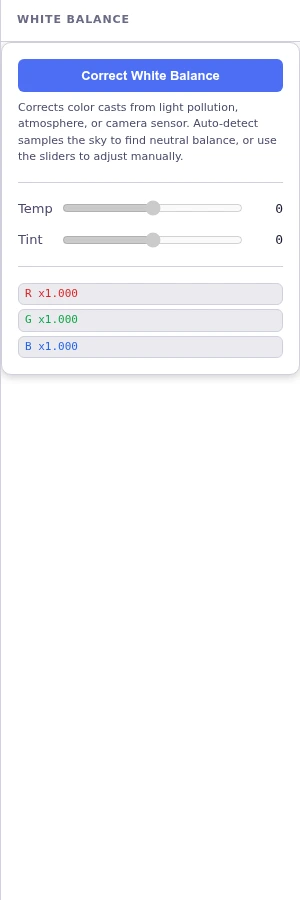
Auto white balance samples star colors across the stacked frame and computes a per-channel correction. Stars as a population are approximately color-neutral, so a systematic color offset is what the camera introduced. Works for astro-modified cameras with a red cast from extended Ha sensitivity and for stock cameras alike. Temperature and tint sliders let you fine-tune from the auto baseline.
Auto star-sampling WB. Temperature and tint sliders. Runs before denoise and star removal.
Denoise
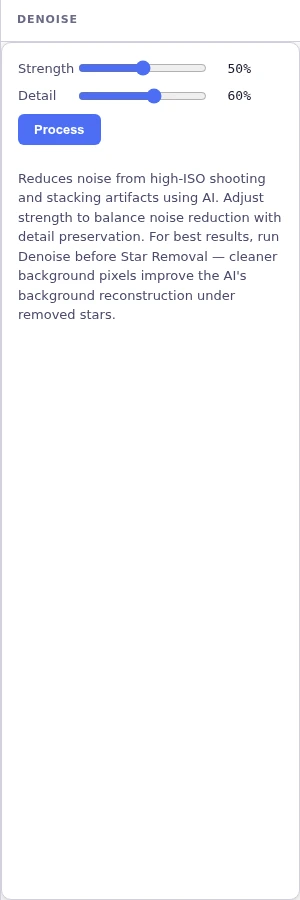
AI noise reduction tuned for astrophotography. A Strength slider controls how much denoised output is blended in. Start at 25% for clean stacks, go higher for single exposures. A Detail slider protects stars, the horizon, and sharp edges from over-smoothing. A before/after split slider lets you compare instantly at any point in the image.
Strength + Detail sliders. Before/after split slider. Outputs {name}-denoised.tif.
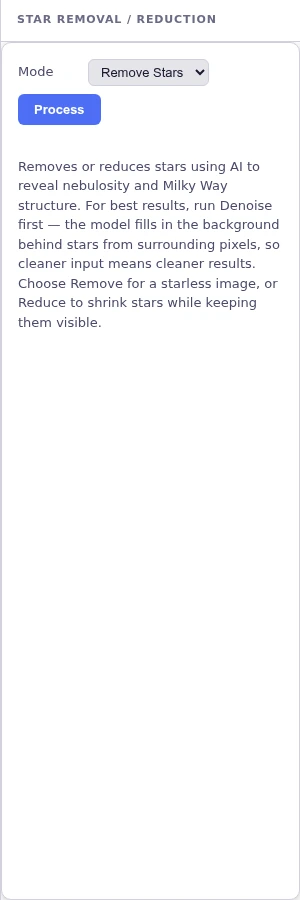
Star Removal / Reduction
Two modes: star removal and star reduction. Star removal produces two files at once: a starless image and an isolated star map on a black background. Blend the star layer at any opacity in Lightroom, grade stars and sky independently, or use the starless base for light pollution removal. Star reduction shrinks bloated stars without eliminating them entirely. A Clean Up button runs a secondary noise pass.
Star removal: starless image + star map. Star reduction: stars shrunk in place.
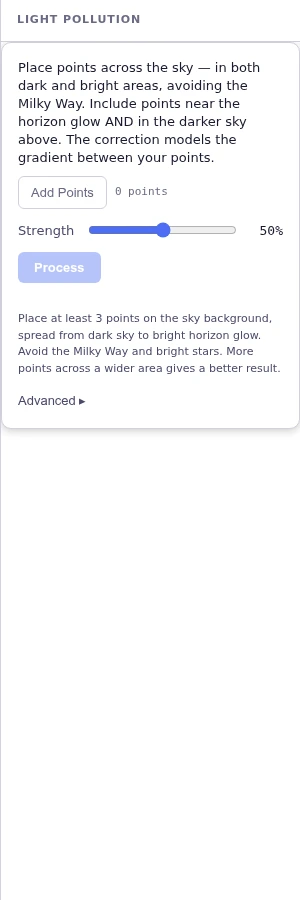
Light Pollution Removal
One tool that corrects both the uneven sky brightness and the color cast left by artificial light. You place sample points across the background sky, avoiding the Milky Way, and a correction surface is fit through them and subtracted. It evens out the brightness falloff from atmospheric glow while stripping the casts that city lights leave behind: sodium streetlights are orange, LED streetlights skew blue-white. A separate surface is fit per color channel, so each cast is removed without flattening the natural color of the sky. The AI sky mask limits corrections to sky pixels automatically.
Sample-point placement. Per-channel correction. RBF / TPS and Polynomial methods.
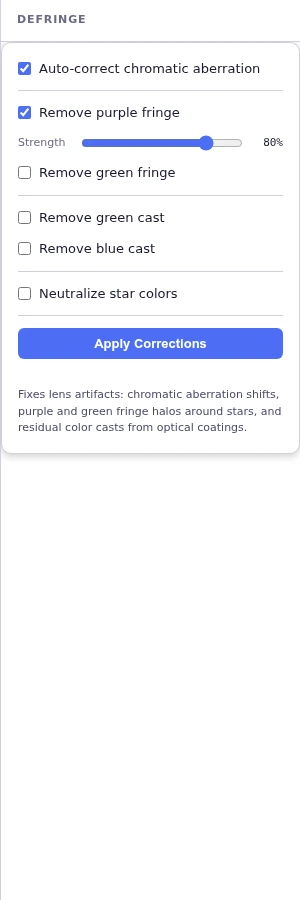
Defringe
Removes the colored fringing that wide-angle and fast lenses leave on high-contrast star edges. Automatic transverse chromatic aberration correction realigns the color channels, then a fringe classifier targets purple and green halos using a channel-ratio test that leaves neutral edges untouched. Subtractive chromatic noise reduction clears residual green and blue casts, and star colors can be neutralized in one pass.
Auto TCA correction. Purple / green fringe removal. SCNR green and blue.
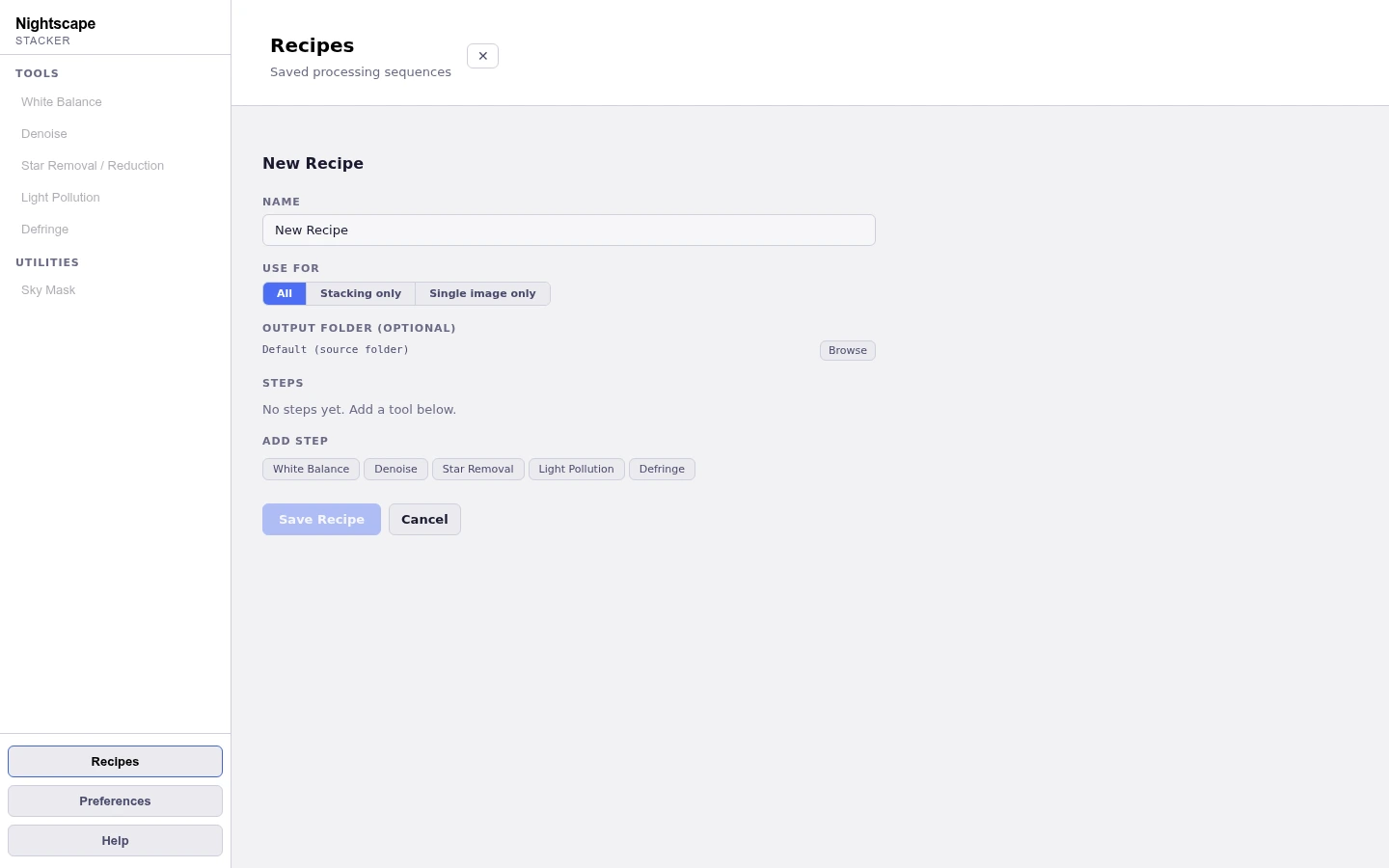
Recipes and Automation
Save any sequence of tools and slider values as a named recipe, then drop an image, pick the recipe, and walk away. Recipes can be scoped to stacking or single-image workflows, reordered step by step, and exported to share with other photographers. A command-line mode runs a recipe end-to-end for batch processing and scripting.
Save and replay tool sequences. Import / export. CLI batch mode.
Lightroom Integration
A Lightroom Classic plugin installs automatically the first time you launch the app. Select your frames in the Library, then File, Plug-in Extras, Send to Nightscape Stacker, or pick Nightscape Stacker as an Export destination, and the app opens pre-loaded with your selection. Stacked output drops straight back into your catalog. No manual setup, no exporting and re-importing by hand.
Auto-installed Lightroom Classic plugin. One-click Send to Nightscape Stacker.
Native Desktop App
Built as a native desktop application for Mac, Windows, and Linux. Runs locally on your machine. Your photos never leave your computer. AI models are bundled with the app, so no internet connection is required for processing.
See It In Action
One window, the whole workflow.
A tool sidebar on the left, your image on the canvas, and the active tool’s controls on the right. Every step is non-destructive, and the output is a 16-bit TIFF.
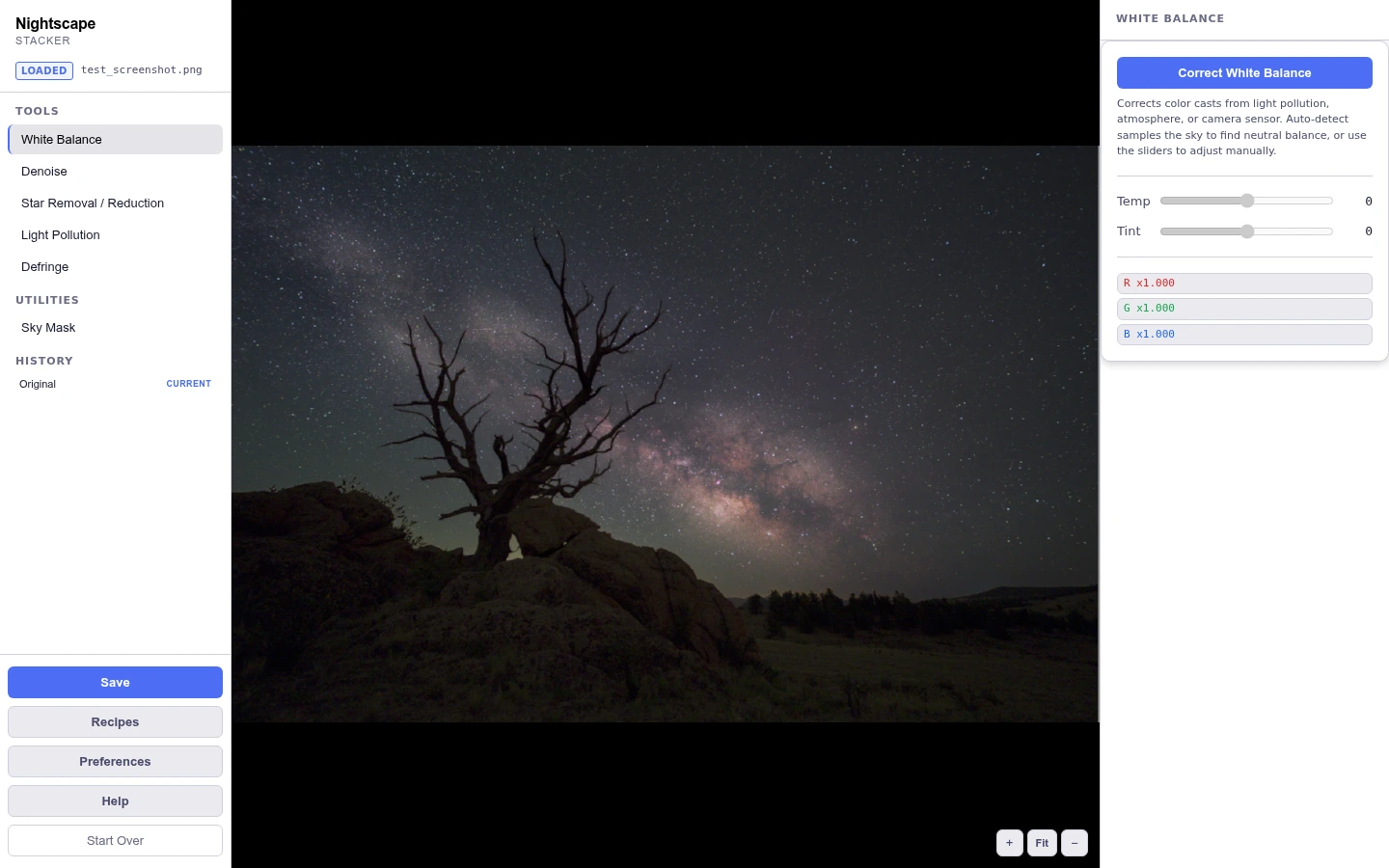
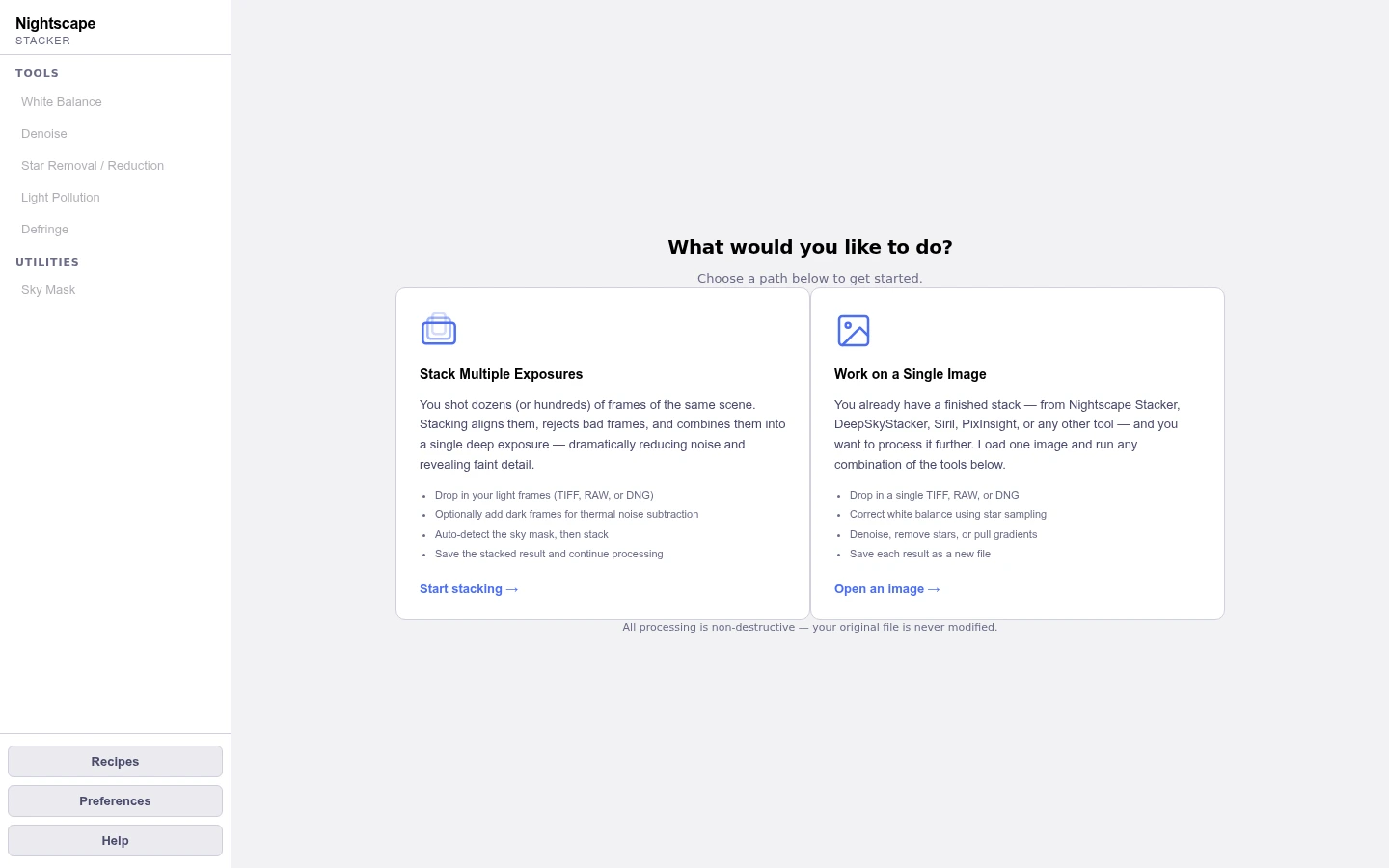
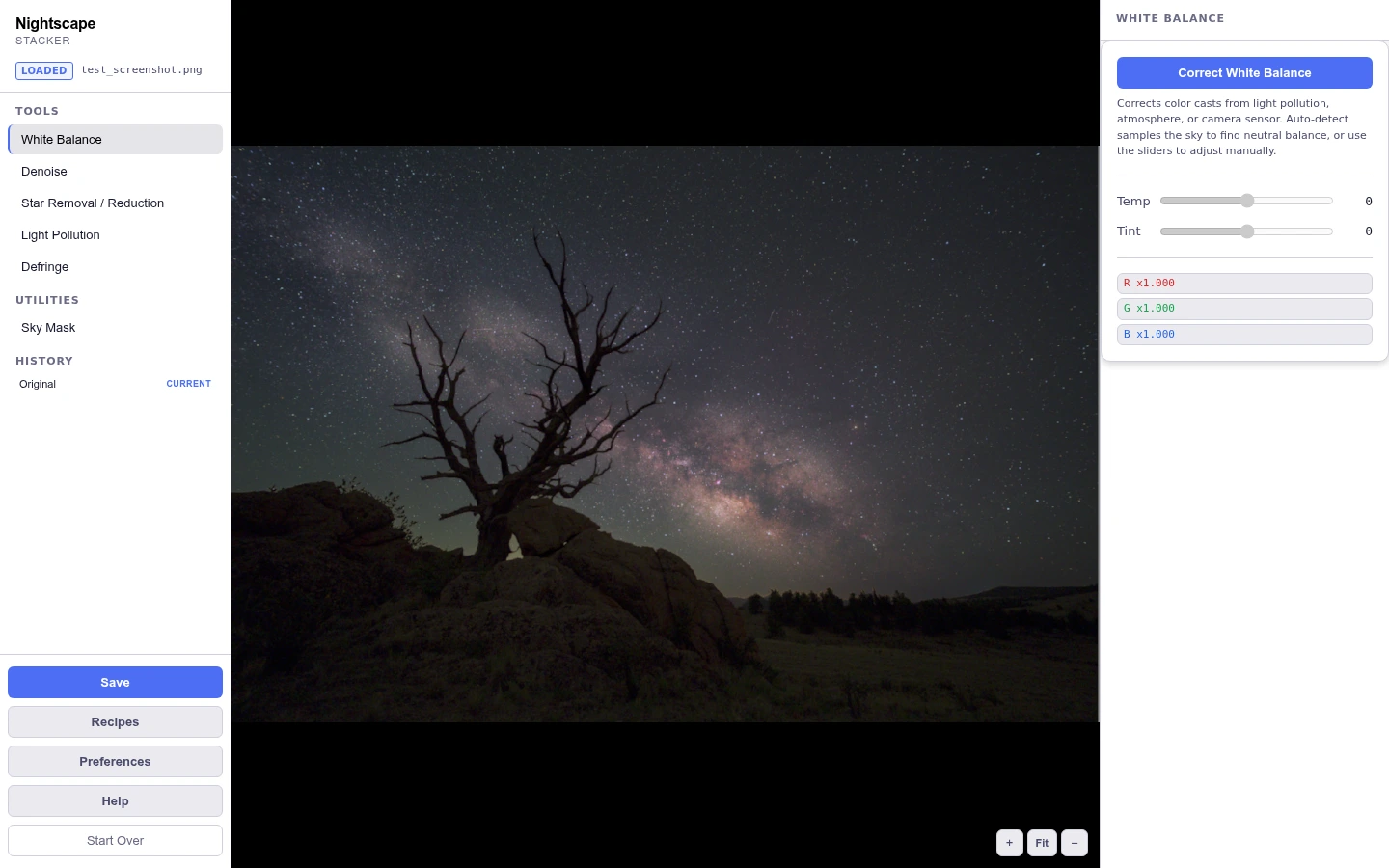
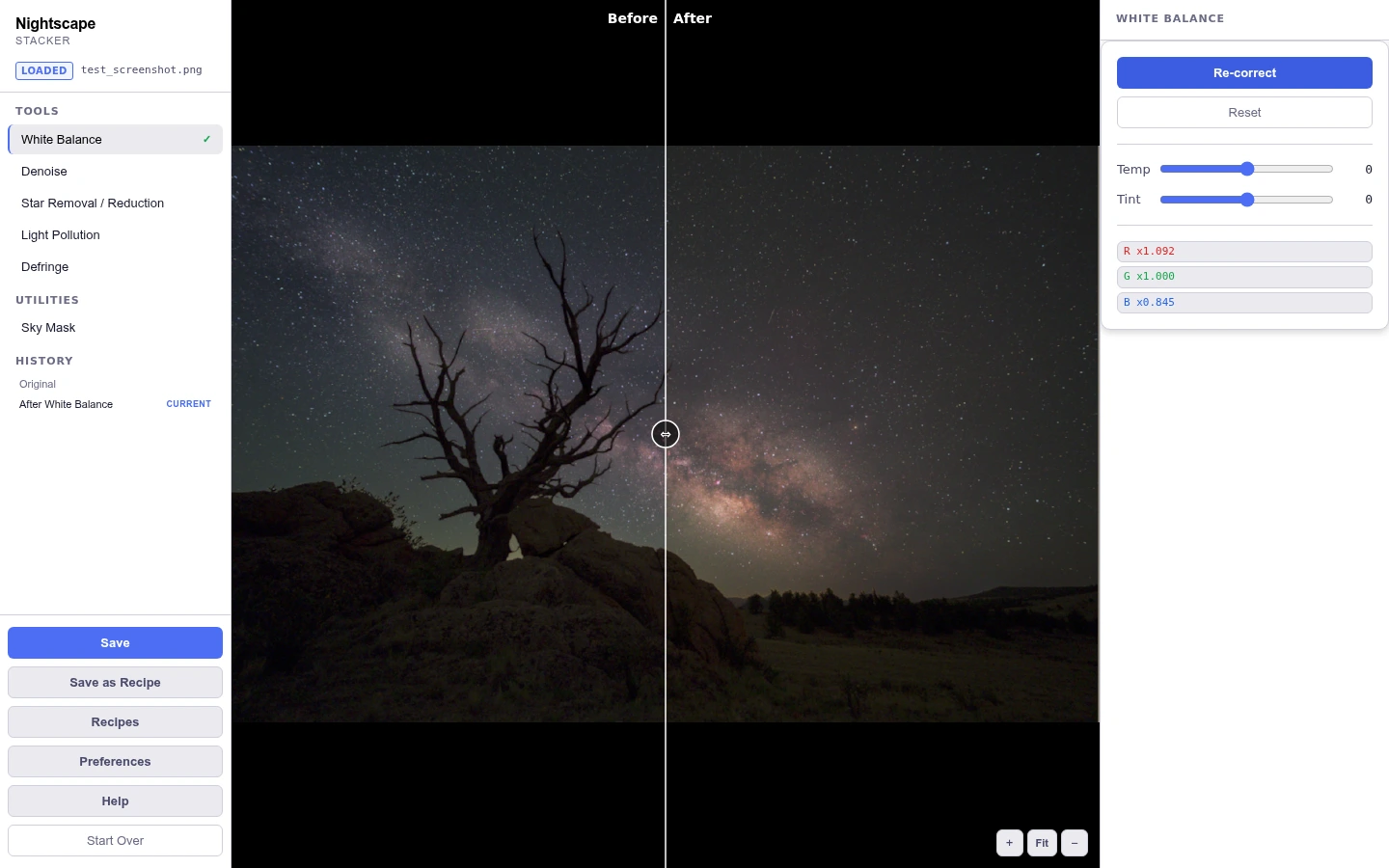
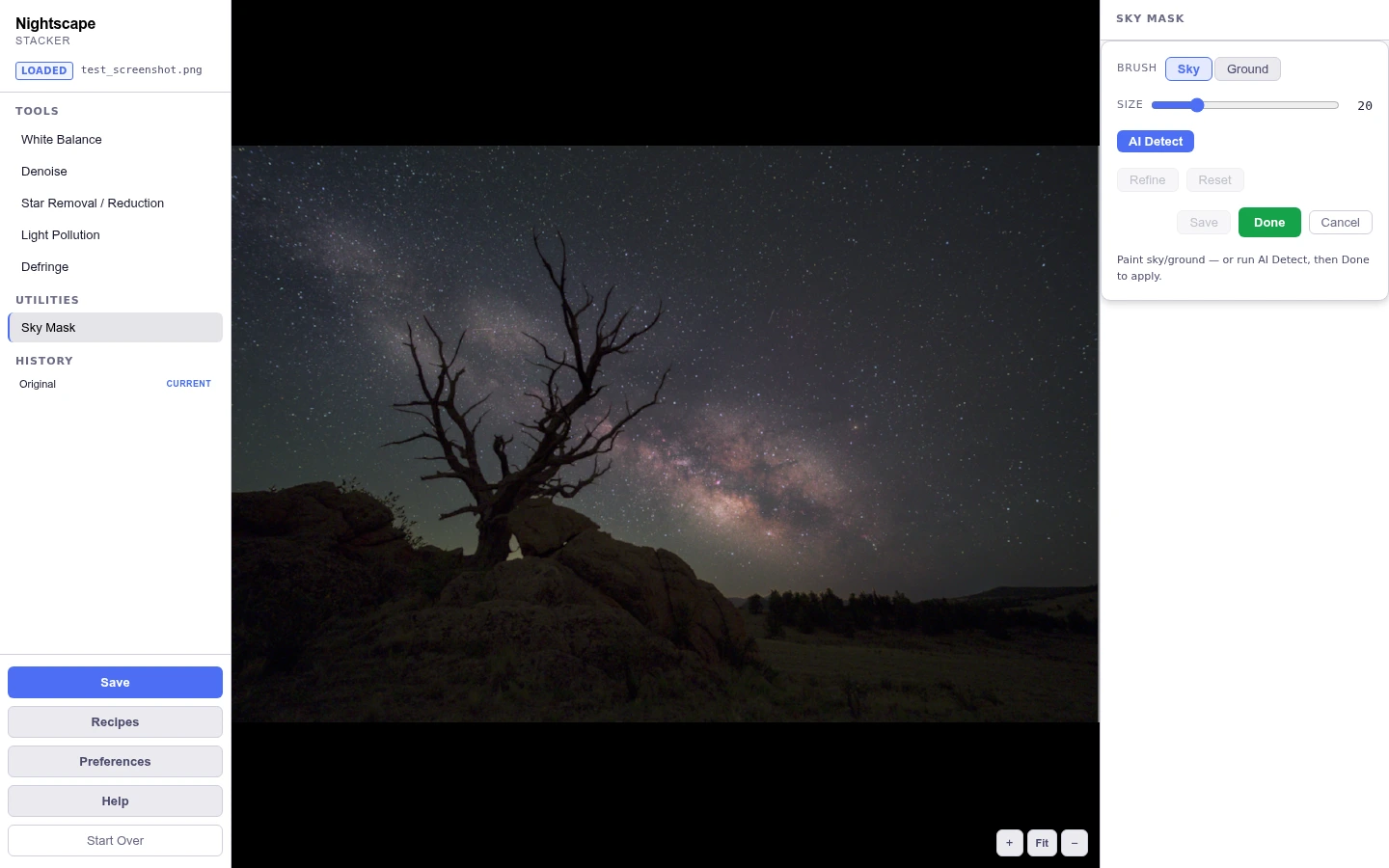
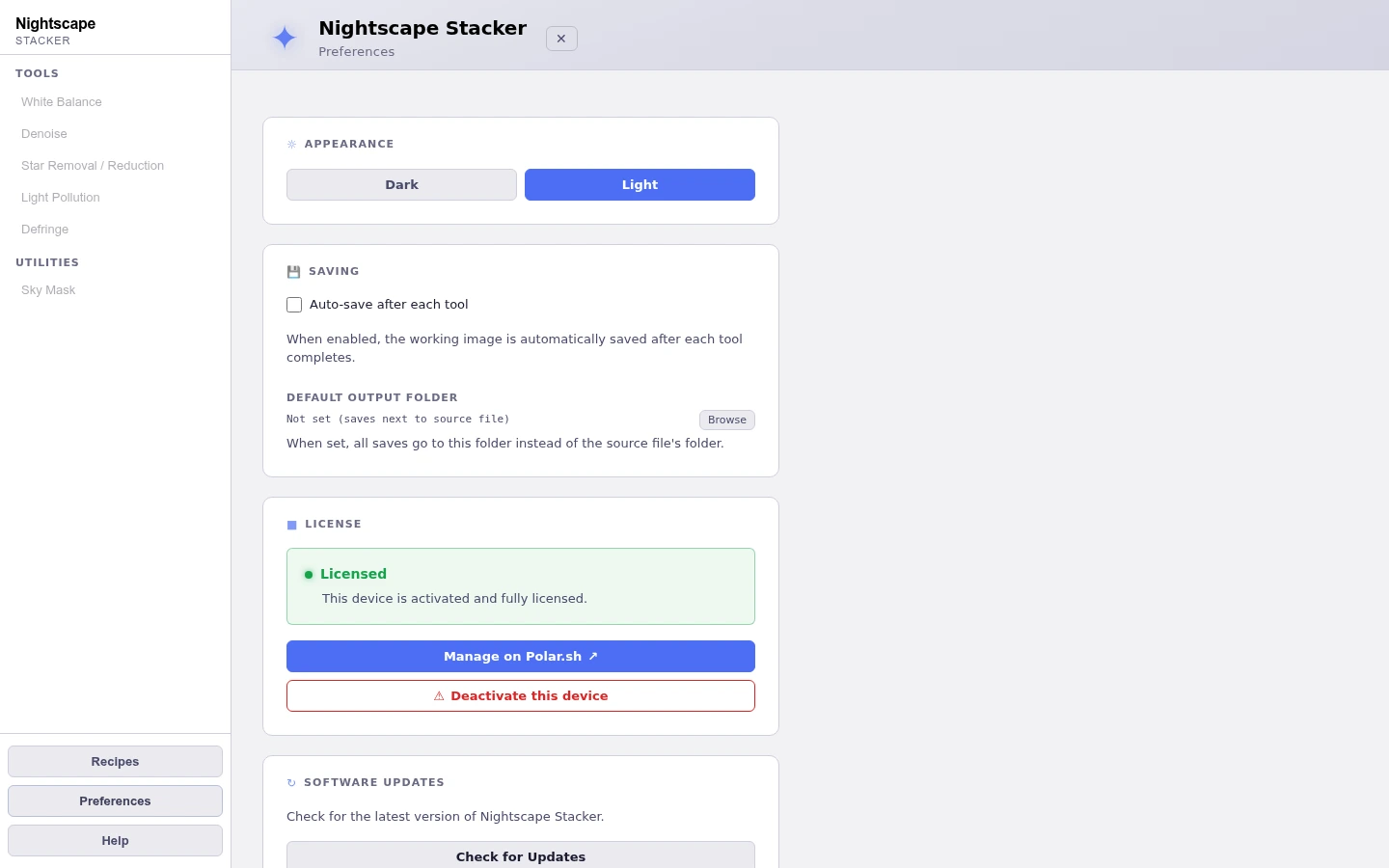
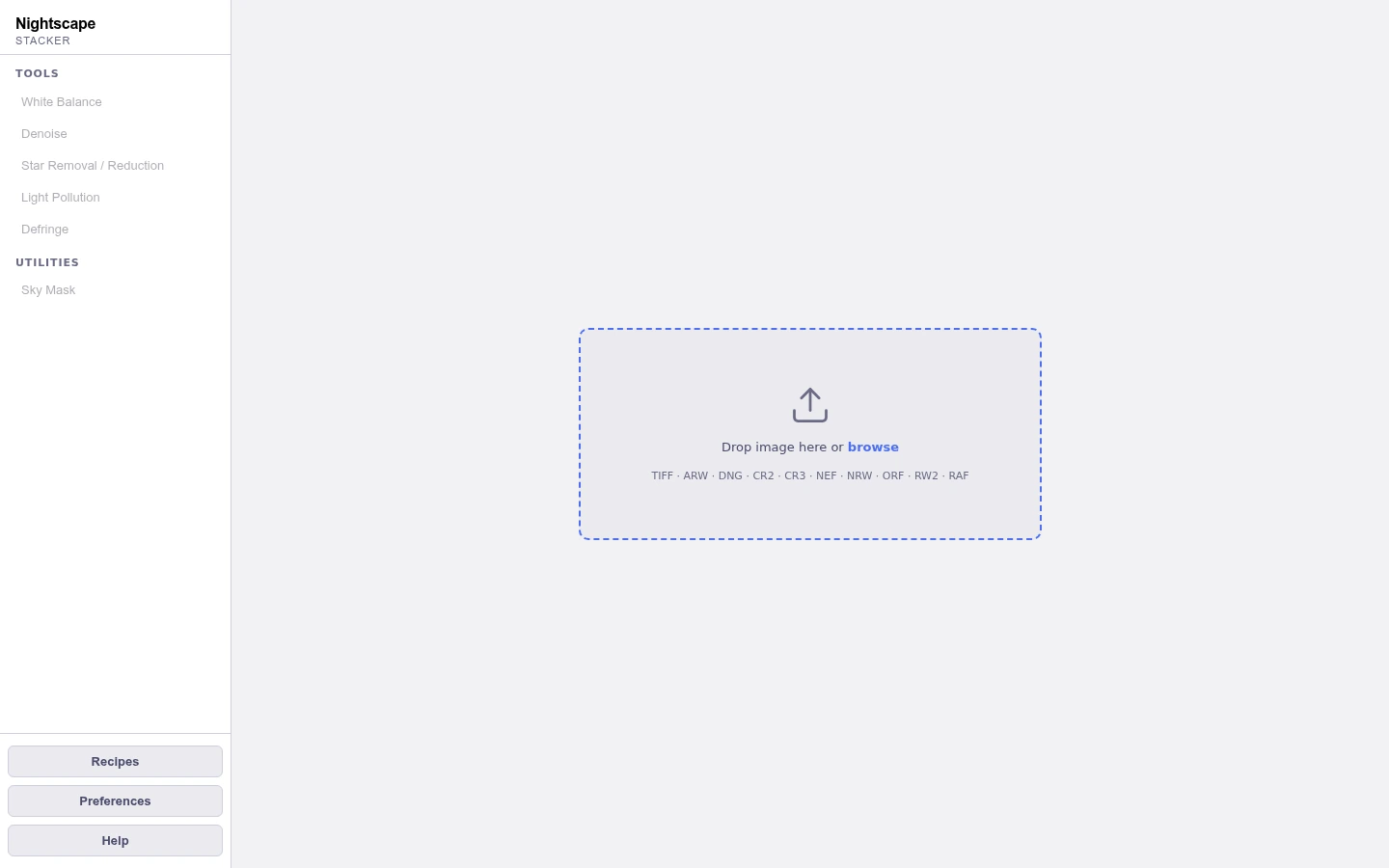
The full workspace: tool sidebar, canvas, and the active tool’s controls.
1 / 9Get NightScape Stacker
The stacking app built
for landscape photographers.
Stack, remove light pollution, reduce stars, export a 16-bit TIFF. One app. One purchase. Mac, Windows, and Linux.
Buy NightScape Stacker · $99 →One-time purchase · No subscription